Admin Panel
Your whole team, in their lane.
Assign roles with the right level of access to each part of Keystone. Brand the platform with your own logo, domain, and colors. Connect the external tools your team already uses.
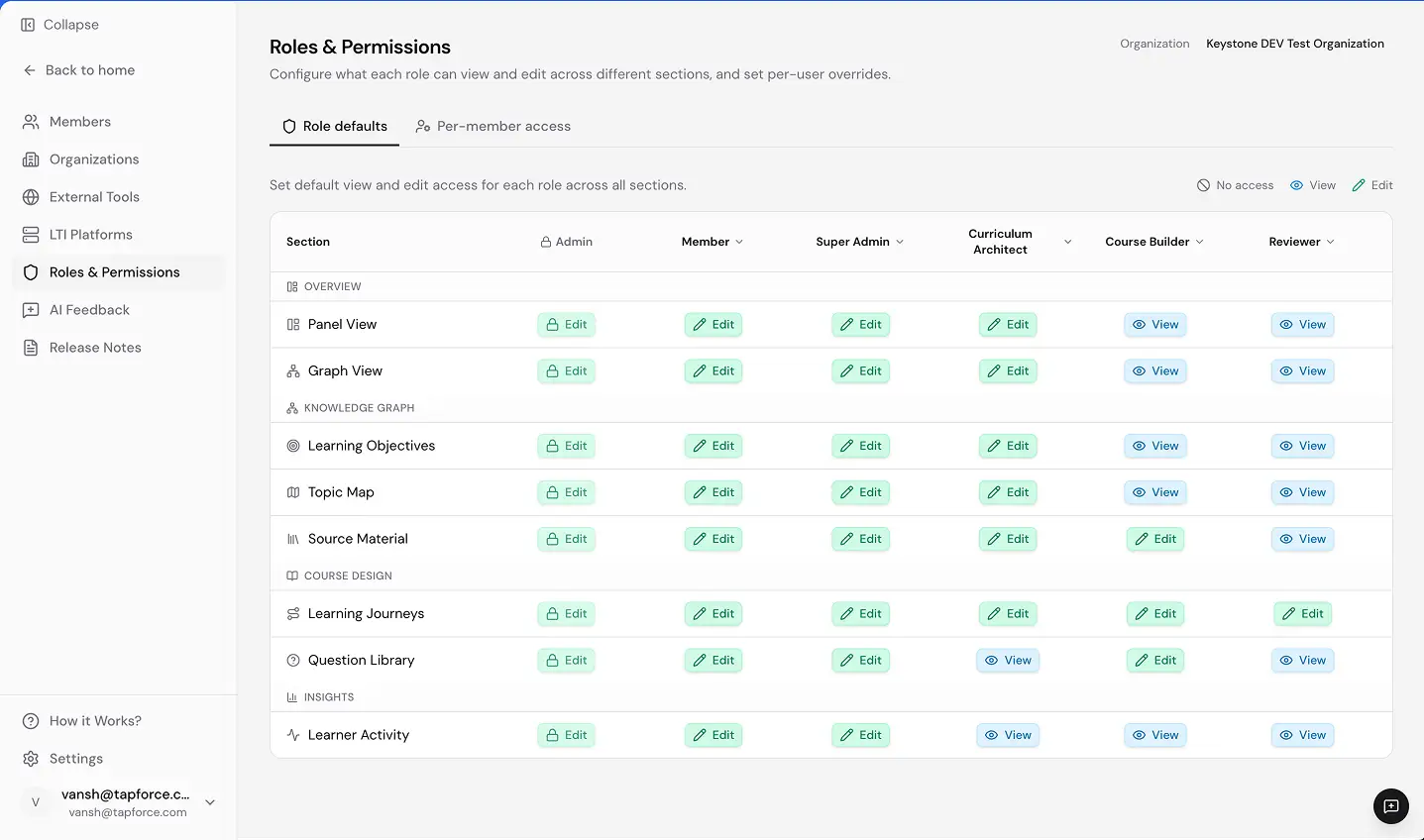
Granular roles and section permissions.
Use six built-in roles, then fine-tune access to specific sections such as the Knowledge Graph or Course Design.

Make Keystone feel like your institution.
Upload your logo, set colors, configure a custom domain, and customize the login experience.

Connect the platforms you already use.
Register learning tools, skill labs, and LMS platforms, with LTI credentials, base URLs, and client IDs managed in one place.

See how institutional governance scales.
Bring your current team structure and we’ll show you how it maps into Keystone’s permission system.
Roles set once, enforced everywhere. Everyone focused on their part. No one tripping over what they shouldn’t be touching.
Administration that enables rather than obstructs.